What options are available for encrypted email? That’s a great question, and an important one too, if you care at all about your privacy. There are a number of alternatives to Gmail that remove the ads and give you more control over your messages. But their encryption doesn’t all work the same way.
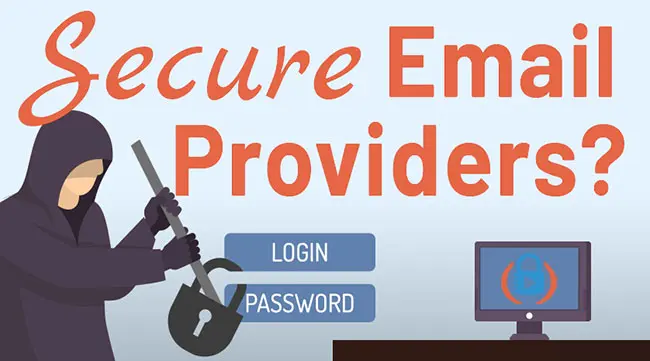
For most people, Proton Mail remains my first recommendation. Tuta is another strong choice for encrypted email and calendars. Mailfence, Atomic Mail, Mailbox.org and StartMail round out this list, each with benefits—and tradeoffs—that are worth understanding before you switch.
My hands-on experience with Proton Mail, Tuta, Mailfence, StartMail and Hushmail comes from paid accounts I used for a month. My assessment of Atomic Mail and Mailbox.org is based on their features and documentation; I have yet been able to test them on my own.
| Provider | Why consider it? | Starting point | Encryption tradeoff |
|---|---|---|---|
 Proton Mail | My overall recommendation | Free; 500 MB Mail storage, expandable to 1 GB | Automatic Proton-to-Proton encryption; external messages need password protection or PGP |
 Tuta | Encrypted email and calendar | Free; 1 GB storage | Automatic between Tuta users; shared password for encrypted external exchanges |
 Mailfence | Flexible OpenPGP and familiar tools | Free; 500 MB email + 500 MB documents | Select encrypted sending; do not assume the whole suite has E2EE |
| Atomic Mail | Ten free aliases and generous storage | Free; advertised unlimited email storage | Encrypted internal/password-protected external options; AI scope needs care |
| Mailbox.org | Own servers in Germany; integrated PGP | Paid; Light has 2 GB email storage | Guard uses server-held encrypted keys; Mailvelope offers local key control |
| StartMail | Unlimited aliases and a pleasing design | Paid; Personal includes 20 GB and one custom domain | Server-side OpenPGP; provider trust differs from keeping keys exclusively on your device |
The table is a starting point, not a claim that every provider offers identical protection. In particular, a message sent normally to someone at Gmail does not become end-to-end encrypted simply because you use a secure email provider.
But which is right for you? Here’s what we’re going to cover:
Using a secure email service is just one of many steps you should be taking to protect yourself online.
Note: Some of the links in this article are affiliate links, which means that at no extra cost to you, I may be compensated if you choose to use one of the services listed. Recommendations reflect my experience and the research explained above. I appreciate your support!
Important Features for Secure Email
You might be tempted to think that all email services are basically the same. But different email companies not only approach email security in different ways, they also offer features that appeal to different users.
Account security protects your login. End-to-end encryption protects a message so that it is decrypted at the intended endpoints. Encryption at rest protects stored data, but whether the provider can decrypt it depends on who controls the keys. Those are different questions, and a simple “encrypted” checkbox doesn’t answer them.
- Length of Service: How long have they been in business? Migrating to a Gmail alternative can be risky because, as we’ve seen in the past, if that email service goes out of business or gets bought up, it’s a hassle to move again.
- Open Source: Security is a factor of trust: how much can you trust these companies with your email data? Having open source code is one of many ways they can earn this trust. Compare what each provider actually publishes with its technical documentation and independent audits; open source alone is not a security guarantee.
- Jurisdiction: Which country and jurisdiction do each of these email providers fall under? We’re going to look at how the location of the company and its servers plays a role in the overall security.
- Calendar / Cloud Drive: Does the email service provide an encrypted calendar and/or cloud drive? This may or may not be required for every user, but it’s good to know which services offer this as an option.
- 2FA Key Security: What’s the value of having secure email if you can’t effectively protect that account login? It’s good to understand how these encrypted email providers allow you to lock down your account. Follow my security key setup tutorial for services that support hardware keys.
- Aliases / Custom Domain: How many email aliases do each of these companies allow you to create? And can you use your own domain? Learn about the five types of email aliases.
- Mobile App: Surprisingly, not every email provider has a dedicated mobile app for iOS and Android. If you use email on your mobile device, it’s important to understand the difference between a dedicated app and a web app.
- Encryption defaults: Does the service encrypt messages automatically between its users? What must you do when the recipient uses another provider?
- Account recovery: Look for a recovery method you can keep safely. Losing access to encryption keys can mean losing old messages.
The shutdown of Skiff is also a reminder to check export options before moving your whole inbox.
Addresses can be confusing too: extra mailbox addresses and disposable forwarding aliases are not interchangeable. Check which type a plan includes. My comparison of email alias services can help you choose a service for that purpose.
And if file storage matters, compare the best encrypted cloud storage options separately. A provider’s encrypted email does not necessarily mean its calendar and documents use the same protection.
Six Secure Email Providers for 2026
Personally, I have a few Gmail accounts secured with Google’s Advanced Protection Program, and I don’t have plans to get rid of them. I obviously have my biases, but I’m going to be clear about why I would choose each alternative—and where I would be cautious.
Proton Mail: My Overall Recommendation
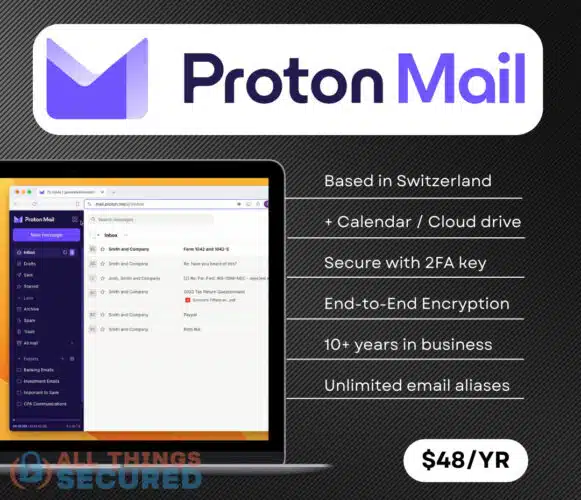
If security and privacy are important to you when choosing an alternative to Gmail, Proton Mail is where I would start. In my experience, a lot of secure email providers don’t necessarily have a good user experience, but thankfully that’s not true for Proton Mail.
You can read my full Proton Mail review for more of my experience with the service.
Proton automatically encrypts messages end-to-end between Proton users. For an outside recipient, you need its password-protected message option or compatible PGP encryption. Proton’s zero-access storage protects message content, but it would be wrong to say the company has “nothing of value” to disclose. Its privacy policy distinguishes accessible account information from protected contents. Encryption is not immunity from legal requests.
The current Proton plan comparison lists 500 MB of free Mail storage, expandable to 1 GB by completing setup steps, and a 150-message daily sending limit. Mail Plus adds 15 GB shared with Drive, one custom domain and up to ten email addresses. Hide-my-email aliases are a separate allowance; unlimited aliases are not included with every paid plan.
In addition to an intuitive user-interface, Proton Mail offers a number of great security features including:
- Zero Knowledge Encryption: Proton’s zero-access encryption protects stored message content. Even so, a court order can require disclosure of accessible account information; it is inaccurate to say there is nothing of value to share.
- Self-Destructing Messages: If you’d like, you can set a message to expire after a certain period of time. This works for end-to-end encrypted messages between Proton users and password-protected messages to outside recipients; it cannot erase a copy a recipient has already saved.
- Open Source Cryptography: Proton’s apps are open source and independently audited, allowing their implementation to be examined. Transparency helps establish trust, but does not guarantee the absence of flaws.
- Blockchain Email Verification: Proton launched Key Transparency in beta in late 2023. Its key-verification documentation explains how a blockchain-based directory helps detect unexpected public-key changes. That addresses key substitution, not every phishing or spoofing attack.
- Calendar & Drive: Proton Calendar is a great alternative to Google Calendar. Additionally, a Proton account includes access to Proton Drive for securely storing files; storage allowances depend on your plan.
Top Features
- Swiss-based since 2014;
- Free version available;
- Two-factor authentication;
- End-to-end encryption between Proton users, with password-protected or PGP options for outside recipients;
- Key Transparency (blockchain-based public-key verification);
- Excellent mobile apps;
- Proton Calendar and Drive
What It Lacks
- The free version limits you to 500MB of Mail storage, expandable to 1GB by completing setup steps, and lets you send 150 messages per day;
- The free version lets you create only 3 folders and 3 labels;
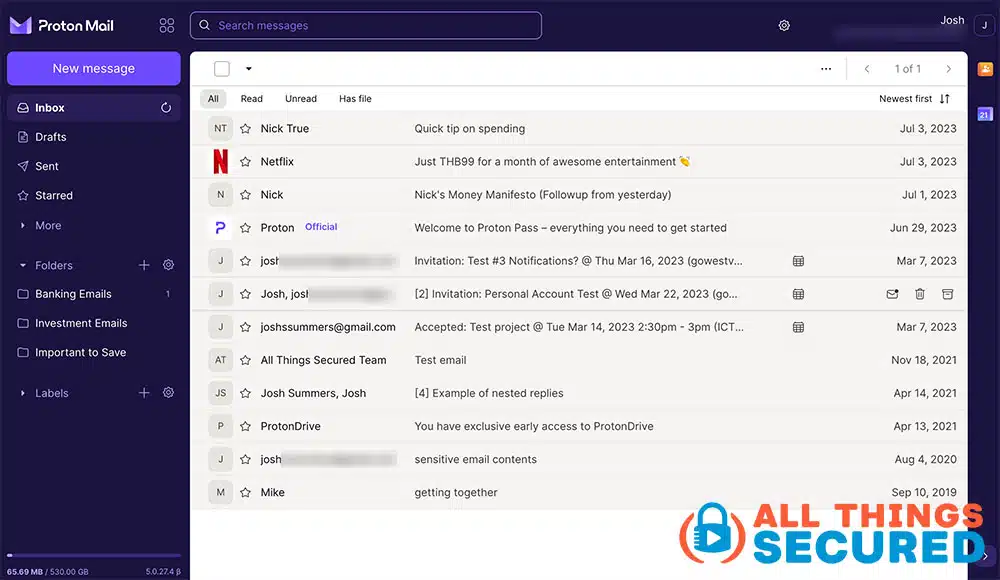
The mailbox looks very similar to what you’d find with a Gmail or Yahoo inbox. While free users are limited to basic functionality and storage, the premium offering includes more storage, custom filtering, auto-replies and other features we’ve come to expect with any email provider. That familiarity matters: a service you can comfortably use every day is easier to stick with.
Tuta (formerly Tutanota)
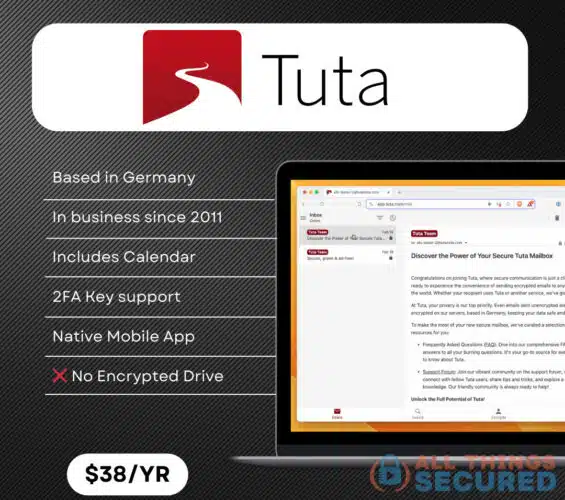
Based in Germany, Tuta—formerly Tutanota—takes an integrated approach to encrypted email and calendars. Its open-source clients are another reason to consider it.
Tuta’s explanation of its encryption includes subject lines within encrypted messages. Mail between Tuta users is encrypted automatically; for encrypted communication with someone outside Tuta, you share a password. Ordinary external email still has an unencrypted endpoint at the other provider.
The Tuta plan comparison lists 1 GB on Free, 20 GB on Revolutionary and 500 GB on Legend. Paid plans add extra addresses and custom domains. Choose based on the features you need, not simply the largest storage number.
Top Features
- Apps for iPhone and Android;
- Calendar integration
- Located in Germany;
- Free account available;
- 2FA key support;
- Special discounts for non-profit organizations;
What It Lacks
- In the past, Tuta didn’t offer an encrypted cloud drive. On April 16, 2026, it announced Tuta Drive’s invite-only closed beta. Check whether your account has access before choosing a subscription for cloud storage.
- Temporary logs are maintained: Tuta’s privacy policy says mail-server logs retain sender/recipient addresses and connection times for up to seven days, without customer IP addresses in those logs;
- Tuta does not allow for use of PGP encryption keys;
Before moving an old inbox, check Tuta’s desktop import requirements. Its documentation limits email import to Legend and Unlimited accounts. Don’t assume the less expensive plan includes it.
Tuta Drive is designed to add end-to-end encrypted file storage alongside Mail and Calendar. Availability and plan entitlement matter if you want to use it as your primary cloud drive.
Mailfence: Flexible OpenPGP Email
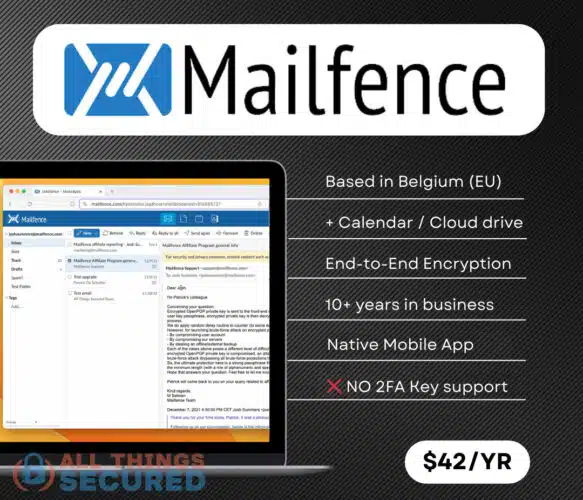
When I originally tried Mailfence, I enjoyed features that were less common among encrypted email services. Its appeal is flexibility: familiar email tools alongside password-protected messages and OpenPGP.
That flexibility requires a choice. Mailfence’s security analysis describes its encryption at different stages. Use its encrypted-message workflow when you need end-to-end protection; don’t assume every ordinary message or document in the suite has it.
The current Mailfence plan table distinguishes email storage from document storage. Free includes 500 MB for each. Base adds email storage and aliases, while Entry and higher add external mail protocols and custom domains. A low starting price does not mean every interoperability feature is included.
For example, when I’m using Mailfence I can take advantage of:
- Multiple Encryption Options: I can use both password encryption or OpenPGP encryption to send secure emails to other people.
- Protocol Support: Mailfence supports IMAP, SMTP, and CalDAV on eligible paid plans, making it compatible with third-party email clients and calendar apps.
- Email Forwarding: Mailfence seems to understand what others don’t—I use other email addresses as well. In my earlier use, instead of forwarding the whole email to my Gmail address, I could receive a simple notification that my Mailfence account had a new email.
- Secure Calendar/Documents Integration: Using the calendar and document-storage features is simple and intuitive. Just click the tab on the top and it works much like Google’s Calendar and Drive. However, Mailfence’s email encryption does not mean these tools are all end-to-end encrypted.
Top Features
- Includes Calendar & Cloud Drive
- Located in Belgium (EU)
- Uses open-source components, but Mailfence itself is not yet open source;
- Free account available;
- Custom mobile app for iOS & Android
What It Lacks
- No hardware-key login option is available, only authenticator-app codes (TOTP);
One feature I appreciated in my earlier use was receiving a notification at another address when new mail arrived, rather than forwarding the entire message. That is the right distinction to look for if you keep a Gmail account alongside a private inbox.
Mailfence is worth considering if you want that familiar collection of tools. Try the free account first, and pay particular attention to how encrypted conversations work with the people you actually email.
Atomic Mail: A Generous Free Plan, With Reservations
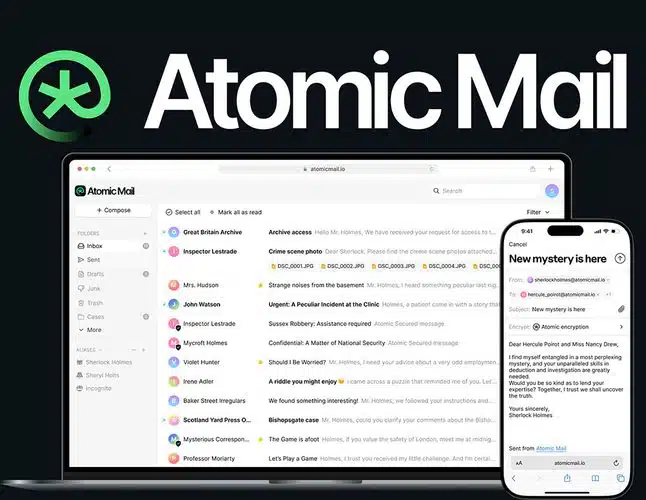
Atomic Mail has a lot of merit, especially if you want useful privacy features without immediately paying for a subscription. Its free plan includes ten aliases and advertises unlimited email storage. Those are meaningful benefits for keeping different parts of your online life separate.
Important Note
Despite “unlimited” storage, Atomic Mail lists a 25 MB attachment limit and dynamic sending limits. It also says aliases cannot currently be changed or deleted, so choose those ten addresses carefully.
Signup does not require a phone number or secondary email address, and a pseudonym is allowed. Atomic’s privacy policy describes an ad-free service without advertising-based data sharing. That does not mean it collects nothing: it retains website logs and some mail-routing metadata for seven days.
Atomic offers end-to-end encrypted message options between its users and password-protected messages for outside recipients. As with the other services here, ordinary email to a conventional provider is a different case.
My reservation is the company’s strong focus on AI. Alongside email, its website promotes an AI agent email API, AI tools and the Sigma AI browser. That raises questions for me about where sensitive data goes and how clearly the boundaries are explained.
To be fair, Atomic says its AI assistant does not train on customer data and cannot access encrypted emails. It says the tools work on drafts and messages kept unencrypted, and are included in Plus. Those drafts can still contain sensitive information. I would want clearer answers about processing locations, model providers and user controls before trusting the AI features with private correspondence.
The agent API has a separate privacy policy for @atomicmail.ai inboxes. Its existence is not proof that AI agents can read your personal @atomicmail.io account. My concern is about the product direction and transparency, not evidence that Atomic is secretly mining encrypted messages.
- Why consider it: Ten free aliases, advertised unlimited storage, no phone number required and encrypted messaging options.
- What gives me pause: The AI emphasis, unanswered implementation questions and the need to distinguish promises from independently verified security.
- Before committing: Save your recovery seed phrase and test delivery, export and everyday use. The current support page says standard IMAP/SMTP/POP3 client access is not yet available.
Mailbox.org: German Hosting and Integrated PGP
Mailbox.org stands out for its German origins and the way it operates its infrastructure. The service launched in 2014 within the German Heinlein group, according to its company history.
It says customer data is stored on its own servers in Germany. That company-operated infrastructure is a benefit I want to highlight.
Mailbox offers two different approaches to email encryption:
- Guard keeps password-protected private keys on the provider’s servers.
- The optional Mailvelope integration keeps keys locally and performs PGP operations in the browser.
That difference matters if keeping the provider out of the decryption process is your priority; I would not describe Guard as identical to Proton or Tuta.
The Mailbox.org personal plan comparison lists Light with 2 GB of email storage and three aliases. Standard adds 20 GB of email storage, custom-domain support and a separate Drive allowance. It is a paid service; a trial is not a permanent free plan.
Mailbox.org is worth considering if you want a conventional email and productivity service with integrated PGP and the option to manage encryption locally. Make sure you understand which mode you are using and how you will back up your keys.
StartMail (Unlimited Aliases)
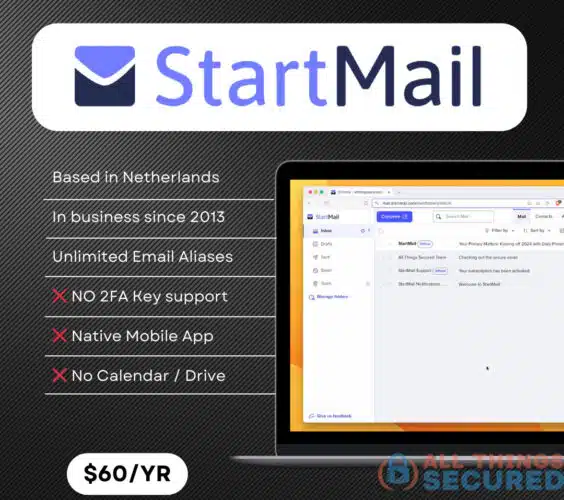
StartMail is an encrypted email provider created by the founders of the privacy-focused search engine Startpage. It now operates as an independent service. The company is based in the Netherlands and has been in operation since 2013, when it launched its public beta.
The primary benefit of this service is its approach to privacy, 20GB of storage, one custom domain (for personal plans), a very pleasing design and unlimited aliases. The current account and feature comparison confirms those Personal-plan allowances.
That final feature is a big one. While many providers limit the number of aliases included in a particular plan, StartMail gives you the ability to create as many as you like. I still appreciate that combination of pleasing design and unlimited aliases, especially if you want a different address for each signup.
Its technical whitepaper describes server-side OpenPGP. That is a trust tradeoff to understand: encryption is handled on StartMail’s servers rather than exclusively on your device. StartMail belongs among my secure email recommendations, with that distinction made clear.
Other Email Providers—and Why They Aren’t My Top Picks
The following email services can be good choices for particular needs. Their absence from the main six is not a blanket judgment that they are unsafe. Here is why I would choose them differently.
Hushmail: A Specialist for Healthcare
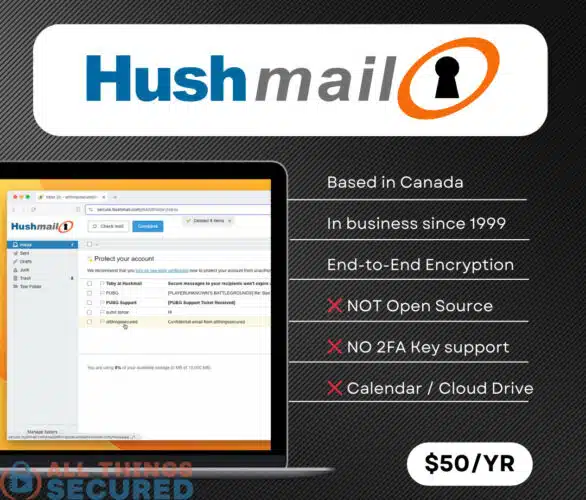
Hushmail remains a good option for confidential healthcare communications. Its focus is increasingly on healthcare practices, so I’ve moved it out of this personal-email shortlist.
One advantage is its healthcare forms and secure communication workflow. Choose the appropriate plan and agreement for your practice rather than treating “HIPAA compliant” as a guarantee that applies to every account or every way of using it.
Top Features
- Simple Interface;
- 14-day free trial for Healthcare;
- 60-day money back guarantee for eligible first-time paid subscriptions; subscriptions with a free trial are excluded and a refund must be requested;
- HIPAA-oriented web forms and email services with the appropriate healthcare plan and agreement;
What It Lacks
- No free account version;
- Based in Canada (part of the Five Eyes alliance);
- Stores IP addresses and other identifiable information on their servers;
- No dedicated Hushmail Android app is listed; its Android instructions use an IMAP client;
Hushmail’s privacy policy describes possible disclosure of unencrypted information.
Canada participates in the Five Eyes intelligence alliance. Jurisdiction is relevant context, but the encryption design and the data actually available to a provider matter more than a country label alone.
Fastmail: Everyday Email Without Native E2EE
Fastmail can make sense as an everyday Gmail alternative, but its security documentation explicitly rules out native end-to-end encryption in its own apps.
It encrypts data during transmission and storage; that is not the same as preventing provider access to message contents.
HEY: A Different Inbox, a Different Privacy Model
HEY approaches email differently, but they hold the encryption keys and do not provide end-to-end encryption. That is why it does not make this encrypted-email shortlist.
How to Switch Without Losing Access
There’s a good chance you’re already a Gmail user, and it’s admittedly hard to move your email address elsewhere. You don’t have to move everything at once.
- Create the new account and secure the login before using it for sensitive accounts.
- Save recovery codes, seed phrases or encryption-key backups somewhere you can access if your usual device is lost.
- Test sending and receiving with the people and services you rely on. Try a small import before migrating your entire archive.
- Keep the old address available while you update important accounts and contacts. Check recovery addresses as well as login addresses.
- If you use a custom domain, keep control of its registration. It can make a future provider change easier, but an expired domain can also cost you access.
For a practical walkthrough, follow my guide to move Gmail to Proton Mail. The gradual approach is useful whichever service you choose.
Recovery deserves special attention with encrypted email. Proton’s recovery-phrase documentation explains the difference between recovering an account and restoring access to encrypted data. Don’t assume resetting a password will always recover old messages.
Security Tips for Gmail Users
But what about Gmail? If switching is too much right now, there are still useful steps you can take. Gmail has strong account-security features; choosing a private provider and protecting your login are separate decisions.
Secure Gmail With Strong Authentication
Start with these steps to secure your existing Gmail account. A unique password and strong authentication matter for every provider in this guide.
What is 2-Factor Authentication?
Two-factor authentication adds another form of verification beyond your password. My guide to two-factor authentication explains how it works.
Google’s Advanced Protection Program supports passkeys and security keys, with additional account protections. It is the program I use for my Gmail accounts.
If passkeys are new to you, here’s how passkeys protect logins and how to start using them.
A hardware key such as the popular YubiKey is an option worth considering. Store a backup method safely so losing one device does not lock you out.
If you use an authenticator app, here’s how to set up Google Authenticator. SMS verification is preferable to having no second factor, but a security key or passkey offers stronger resistance to phishing.
Understand Gmail Confidential Mode
Did you know that Gmail offers Confidential Mode? My guide to using Gmail Confidential Mode shows the lock-and-clock control in the compose window.
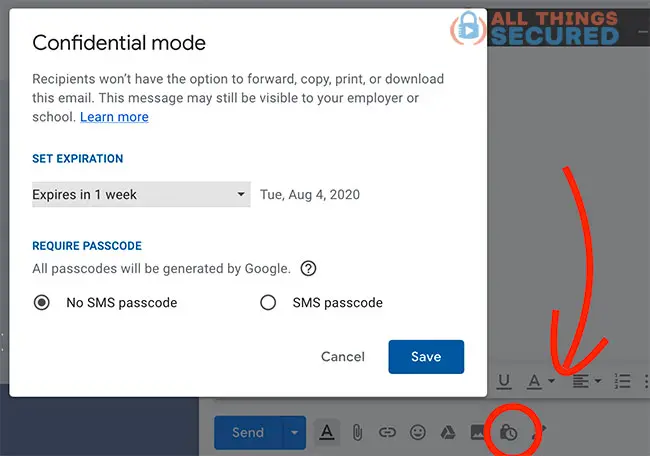
You can set an expiration date and require a passcode. But Google explains Confidential Mode’s limits: blocking forwarding, printing and downloading in the interface cannot stop screenshots or photos. It is not consumer end-to-end encryption.
Control External Images
In Gmail settings, find “Images” and choose “Ask before displaying external images” if you want to control when remote images load.
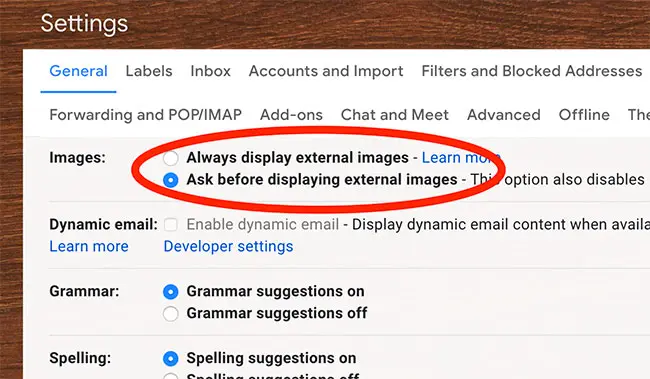
Google already scans and protects image loading, so it is inaccurate to describe Gmail as offering no protection here. Senders may still learn that a message was opened. Asking first is an additional privacy choice, not a substitute for the rest of your account security.
Secure Email FAQs
Which secure email provider should I start with?
For most readers, I would start with Proton Mail. Tuta is another strong option for integrated encrypted email and calendars. The other four deserve a look when their particular features match your needs, but read the encryption and recovery tradeoffs before committing.
Can secure email providers send to Gmail?
Yes. Ordinary email works across providers, but that does not make it end-to-end encrypted. To protect an exchange from the receiving provider, use a supported password-protected message or a compatible PGP setup, and make sure the recipient understands the process.
Is Atomic Mail’s free storage really unlimited?
Atomic advertises unlimited storage, and I did not find a published total mailbox quota in the pages reviewed. That is not the same as unlimited attachment size or unlimited sending. Its documentation describes limits on both.
Can a secure email account still be hacked?
Yes. Encryption does not protect you from every phishing attempt, compromised device or stolen login. Nor is there a reliable universal “most hacked email provider” ranking that tells you which account will be safe. Secure your devices, authentication and recovery methods as well as choosing a provider.
Final Thoughts on Secure Email Services
While Gmail isn’t a bad option—and personally I still use it—I recommend trying a private email service for the accounts and conversations where you want more control. Remember that changing the address on a bank account does not automatically encrypt every message the bank sends you.
I’m happy to use Gmail for daily emails related to work and family. But when I want an email service built around privacy, I turn to Proton Mail.
And remember, none of these services is hack-proof. Make sure you are creating strong and unique passwords, enabling strong authentication and keeping recovery information safe.
Apply that same habit to your other accounts. For example, review your Facebook privacy settings rather than relying on a single private inbox to protect everything you do online.
Security isn’t software; it is a mindset.